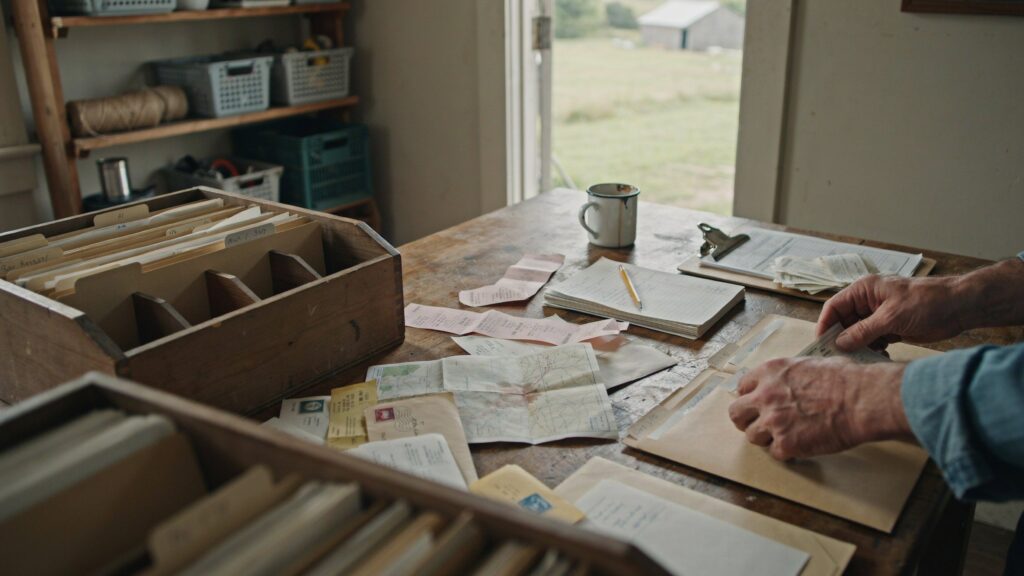
An organic farm recordkeeping checklist can make certification paperwork much easier to manage.
Instead of trying to remember every document you may need before an inspection, you can build your records throughout the season as the work happens.
The goal is simple: create a clear trail showing what happened on the farm, where it happened, what materials were used, what was harvested, and where the product went afterward.
Use this checklist as a practical starting point for organizing your farm records.
Why Organic Farm Recordkeeping Matters
Organic certification relies on records that show how your operation follows organic standards.
Good records can help document:
- What crops you planted
- Where you planted them
- Which seeds and inputs you used
- What happened in each field
- What you harvested
- Where harvested products were stored
- What you sold
- How products moved through the farm
- How each field was managed over time
More importantly, these records should connect with one another.
A planting record should connect to a field. A harvest record should connect to that planting. Storage and sales records should continue the trail. Together, they create a clear history of your farm operation.
The National Organic Program’s recordkeeping requirements require certified operations to maintain records that fully disclose their activities and transactions and make those records available for inspection.
Organic Farm Recordkeeping Checklist
1. Seed Records
Keep records for the seeds and planting stock used on your farm.
Record:
- Crop
- Variety
- Supplier
- Purchase date
- Lot or batch number, when available
- Quantity purchased
- Organic status
- Supporting invoices or receipts
- Seed labels or packaging
- Documentation related to non-organic seed searches, when applicable
Your Organic Seed Recordkeeping Requirements for Organic Farms guide explains this category in more detail.
2. Planting Records
Planting records document when and where a crop entered production.
Record:
- Planting date
- Crop
- Variety
- Field, bed, greenhouse, or location
- Seed or transplant source
- Amount planted
- Planting method
- Acreage or bed area
- Replanting
- Succession plantings
Your Planting Records for Organic Farms should connect directly with your seed records.
3. Input Application Records
Document fertilizers, compost, soil amendments, pest-control products, and other farm inputs.
Record:
- Product name
- Manufacturer
- Application date
- Field or location
- Crop
- Purpose
- Application rate
- Quantity
- Person applying the product
- Supporting product labels
- Purchase receipts
- Approval or eligibility documentation, when needed
Our guide to Organic Input Application Records covers what to document each time you apply a material.
4. Field Activity Logs
Field activity logs capture the everyday work that happens between planting and harvest.
Activities may include:
- Irrigation
- Weeding
- Cultivation
- Mulching
- Pruning
- Pest monitoring
- Equipment cleaning
- Crop observations
- Field preparation
- Other production work
For each activity, record:
- Date
- Field or location
- Crop
- Activity
- Person completing the work
- Notes, when useful
These Organic Field Activity Logs create the day-to-day story of how each crop was managed.
5. Harvest Records
Harvest records document what came out of each field.
Record:
- Crop
- Variety
- Harvest date
- Field or location
- Quantity harvested
- Unit of measurement
- Person completing the harvest
- Storage destination
- Notes about quality or losses, when relevant
Your Organic Harvest Records should match the crop and field names used in planting and field activity records.
6. Storage Records
Once crops leave the field, continue documenting where they go.
Record:
- Product
- Quantity
- Date placed into storage
- Storage location
- Lot or batch number, if used
- Date removed
- Quantity removed
- Destination
- Spoilage or losses
Good Organic Storage Records help connect harvest quantities with later sales or distribution.
7. Sales Records
Sales records complete the trail from production to customer.
Record:
- Product
- Variety, when useful
- Sale date
- Quantity sold
- Unit of measurement
- Buyer or customer
- Invoice or receipt number
- Lot or batch number, if used
- Delivery or pickup details
Supporting documents may include:
- Invoices
- Receipts
- Purchase orders
- Farmers market logs
- CSA records
- Delivery records
- Shipping records
Your Organic Sales Records help show where farm products went after harvest and storage.
8. Field History Records
Field history records show how each production area has been managed over time.
Track:
- Field name
- Acreage
- Crops grown
- Previous land use
- Organic status
- Inputs used
- Cover crops
- Crop rotations
- Changes to field boundaries
- Buffer zones
- Neighboring land concerns
- Major management changes
Your Field History Records provide the longer-term view that daily logs cannot.
9. Organic System Plan Records
Your Organic System Plan (OSP) describes how your farm operates under organic standards.
Keep the plan current when things change.
Updates may include:
- New fields
- New crops
- New inputs
- New suppliers
- Changes in storage
- Changes to production practices
- New equipment
- Changes to buffer zones
- Changes to handling practices
Your records should support what you describe in the OSP. If something changes on the farm, update both the actual records and the plan where necessary.
10. Supporting Documents
Not every important record is a farm log.
Keep supporting documents such as:
- Seed invoices
- Product labels
- Input receipts
- Organic certificates
- Supplier documentation
- Soil test results
- Maps
- Lease documents
- Delivery receipts
- Sales invoices
- Equipment-cleaning records
- Photographs, when useful
- Previous certification paperwork
These documents help support the information recorded in your farm logs.
How the Records Should Connect
A strong recordkeeping system does not treat each record type as a separate folder.
Instead, the records should connect.
For example:
Seed → Planting → Field Activity → Input Application → Harvest → Storage → Sale
If an inspector selects a crop, your records should make it possible to follow that crop through the operation.
The same field name, crop name, dates, and quantities should make sense across the different records.
That consistency is one of the most important parts of good recordkeeping.
Keep Names Consistent
One of the easiest ways to create confusion is to use different names for the same thing.
For example:
- “North Field”
- “Field N”
- “North”
- “NF”
may all refer to the same location.
Choose one name and use it everywhere.
Do the same for:
- Fields
- Beds
- Greenhouses
- Crops
- Varieties
- Storage areas
- Products
Consistent naming makes records much easier to trace.
Record Activities When They Happen
Waiting until the end of the week—or the end of the season—creates more work.
Details get forgotten.
Receipts disappear.
Dates become uncertain.
Instead, record farm activities as close to the work as possible.
A few minutes today can save hours of reconstruction before an inspection.
Keep Digital Backups
Paper records can work well, but they can also be lost, damaged, or scattered across different locations.
Digital copies can provide an extra layer of protection.
Consider keeping digital copies of:
- Receipts
- Product labels
- Seed documentation
- Field maps
- Harvest logs
- Sales records
- Inspection paperwork
The important part is not whether your system is paper or digital.
It is whether the records are complete, organized, accurate, and easy to retrieve.
Review Records Throughout the Season
Do not wait until inspection week to find missing information.
Instead, schedule quick reviews.
For example:
Weekly:
Check that major field activities were recorded.
Monthly:
Review planting, input, harvest, and sales records for gaps.
End of season:
Update field histories and annual records.
Before inspection:
Confirm that records connect and supporting documents are easy to find.
Regular reviews make certification preparation much easier.
Common Organic Farm Recordkeeping Problems
Even well-run farms can run into recordkeeping issues.
Common problems include:
- Recording activities too late
- Missing dates
- Missing quantities
- Inconsistent field names
- Lost receipts
- Missing input labels
- Records stored in several places
- Harvest totals that do not match later records
- Missing sales documentation
- Forgetting field-history changes
- Updating records only before inspection
Fortunately, most of these problems can be prevented with a consistent system.
Frequently Asked Questions
→ What records should an organic farm keep?
Organic farms commonly maintain seed, planting, field activity, input application, harvest, storage, sales, field history, and supporting certification records.
→ Do all farms need the same records?
No. The exact records depend on the operation, crops, production practices, and certification requirements.
→ Can organic farm records be digital?
Yes. Digital records can be used as long as they remain complete, accurate, accessible, and easy to review.
→ How long should organic certification records be kept?
Certified operations generally must keep applicable organic records for at least five years.
→ Should records connect with each other?
Yes. Connected records make it easier to trace crops and understand how production, harvest, storage, and sales relate to one another.
Keep Everything Connected
Organic farm recordkeeping becomes much easier when you stop thinking of it as separate piles of paperwork.
Each record is one part of the same story.
Seed records show where a crop began. Planting and activity records show how it was managed. Harvest, storage, and sales records show what happened afterward.
When those records connect, both farm management and inspection preparation become easier.
Use this organic farm recordkeeping checklist throughout the season rather than waiting until certification paperwork is due.
A little documentation at the right time can prevent a lot of searching later.
